Learning Outcomes:
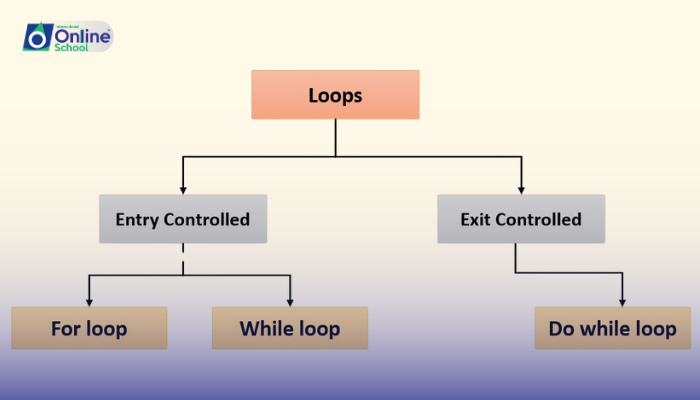
i. Master the three musketeers of looping: for, while, and do-while, understanding their unique abilities.
ii. Witness the power of repetition in action through practical examples of each looping structure.
iii. Discover the secret of 'continue': how to skip unwanted steps within your loop's tireless march.
iv. Unravel the mysteries of nested loops, where one loop becomes another, creating intricate patterns of repetition.
Introduction:
Imagine a program that needs to print "Hello, world!" ten times. Typing it ten times would be tedious, right? That's where loops come in – magical code constructs that let your program take a single instruction and repeat it as many times as you need, like a tireless robot humming the same tune until its task is done.
i. The Precise Planner: for Loop:
Think of for as a meticulous organizer, planning every step of the repetition. It defines a counter variable, sets its starting and ending values, and increments it with each loop. Imagine printing numbers from 1 to 10 – a for loop would handle the counting automatically, ensuring ten perfect repetitions.
ii. The Flexible Flyer: while Loop:
Now, meet the free spirit, the while loop! It doesn't need a strict plan. It simply sets a condition and keeps repeating its instructions as long as the condition remains true. Think of checking if a user wants to play again in a game – a while loop would keep asking until the user says no.
iii. The Eager Explorer: do-while Loop:
This curious adventurer, the do-while loop, peeks at the result before deciding to loop. It performs its instructions once, then checks a condition. If true, it loops again, but if false, it stops right there. Imagine checking if a file exists before reading it – a do-while loop would try reading first, then check if successful, ensuring the program doesn't get stuck on non-existent files.
iv. Skipping Ahead with continue:
Sometimes, even in repetition, you need a detour. That's where continue comes in. It's like a traffic cone, directing your program to skip the remaining steps in the current loop iteration and jump straight to the next one. Imagine printing all even numbers between 1 and 10 – a for loop with continue would skip odd numbers, ensuring only evens are printed.
v. Nesting Loops: Complexity Within Complexity:
Think of a Russian nesting doll. Just like those intricate dolls hiding within each other, you can have loops within loops! Nested loops allow you to create intricate patterns of repetition. Imagine printing a multiplication table – an outer loop iterates through rows, while an inner loop iterates through columns, multiplying at each intersection.
Looping structures are the workhorses of C++ programming. Master them, and you'll unleash your code's potential to automate repetitive tasks, perform intricate calculations, and create dynamic programs that adapt and iterate. Remember, practice makes perfect! Experiment with different loops, explore nesting, and soon, your programs will be tireless automatons, conquering any task set before them!
