Lesson 01: Introduction to Operating Systems

Lesson 1/93 | Study Time: 30 Min
Lesson 01: Introduction to Operating Systems

Learning Outcomes:


i. Define an operating system and explain its essential functions.


ii. Understand the different types of operating systems and their uses.


iii. Appreciate the crucial role of the OS in managing hardware and software resources.


iv. Identify basic user interactions with the operating system.


Introduction:


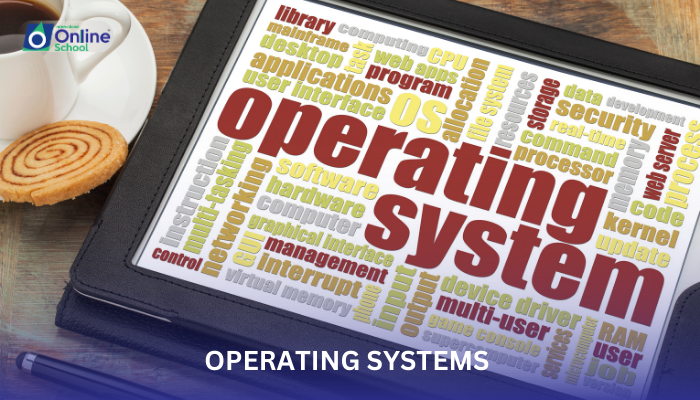
Have you ever wondered what makes your computer work like a well-oiled machine? Just like an orchestra needs a conductor to coordinate all the instruments, a computer needs an operating system (OS) to manage its various parts and resources. This lesson will take you on a journey into the fascinating world of operating systems, revealing their hidden magic and showing you how they keep your computer humming along.


i. What is an Operating System?


Imagine your computer as a bustling city. You have the hardware – the buildings, roads, and vehicles – representing the physical components like the CPU, RAM, and storage drives. But for this city to function smoothly, you need someone to organize traffic, allocate resources, and ensure everything runs seamlessly. This is where the operating system steps in. It acts as the conductor of the computer orchestra, coordinating all the hardware and software resources efficiently.


Essential Functions of an OS:


The OS wears many hats:


Resource Manager: It allocates RAM to applications, manages storage space, and ensures different programs don't clash over resources. Think of it as dividing the city's utilities like electricity and water fairly among its residents.


Hardware Interface: It acts as a translator between you and the computer's hardware. You don't need to speak the complex language of hardware commands; the OS handles it all, letting you interact with the computer through user-friendly interfaces like windows and icons.


Software Facilitator: It loads and runs programs, providing them with the necessary environment to function. Imagine the OS setting up the stage for each program to perform its magic.


Security Enforcer: It protects your computer from unauthorized access and malicious software, acting as a vigilant security guard for your digital city.


Types of Operating Systems:


There are different types of OS designed for various purposes:


Desktop OS: This is the familiar conductor you see every day, powering personal computers like Windows, macOS, and Linux.


Mobile OS: It manages smartphones and tablets, like Android and iOS, keeping your pocket orchestra in tune.


Server OS: These robust conductors handle large networks and websites, ensuring smooth operation for multiple users.


Embedded OS: These specialized OS are found in devices like smart TVs and cars, keeping them functioning flawlessly.


ii. User Interaction with the OS:


You interact with the OS through what's called a user interface (UI). This can be a graphical interface (GUI) with windows, icons, and menus, or a command-line interface (CLI) where you type commands. Whichever way you choose, the OS understands your instructions and keeps the computer dancing to your tune.


The operating system is the brain behind every computer's operation. It's the invisible conductor ensuring everything runs smoothly, allowing you to focus on creativity, productivity, and entertainment. By understanding the basics of operating systems, you gain a deeper appreciation for the complex world of computers and the hidden magic that makes them tick.



Saboor Ali

Saboor Ali

Product Designer

Class Sessions

1- Lesson 01: Introduction to Operating Systems 2- Lesson 02: Commonly-Used Operating Systems 3- Lesson 03: Types of Operating Systems (1-4) 4- Lesson 04: Types of Operating Systems (5-8) 5- Lesson 05: Embedded Operating Systems 6- Lesson 06: Single-User and Multi-User Operating Systems 7- Lesson 07: Main Functions of Operating System (1-4) 8- Lesson 08: Main Functions of Operating System (5-8) 9- Lesson 09: Understanding Processes 10- Lesson 10: Thread vs. Process 11- Lesson 11: Multi-Threading, Multi-Tasking, and Multi-Programming 12- Lesson 01: Introduction to Systems 13- Lesson 02: Overview of System Development Life Cycle (SDLC) 14- Lesson 03: Objectives of SDLC 15- Lesson 04: Stakeholders and Their Role in SDLC 16- Lesson 05: Planning in SDLC 17- Lesson 06: Feasibility Study 18- Lesson 07: Analysis and Requirement Engineering 19- Lesson 08: Design Phase 20- Lesson 09: Coding and Implementation 21- Lesson 10: Testing, Deployment, and Maintenance 22- Lesson 11: Management in SDLC 23- Lesson 12: Project Manager's Role 24- Lesson 13: System Analyst's Role 25- Lesson 14: Programmer's Contribution 26- Lesson 15: Software Tester's Role 27- Lesson 16: Customer Engagement 28- Lesson 01: Introduction to Programming 29- Lesson 02: C++ Program Structure 30- Lesson 03: Statement Terminator and Comments 31- Lesson 04: Constants and Variables 32- Lesson 05: Variable Naming Rules 33- Lesson 06: C++ Data Types 34- Lesson 07: Constant Qualifier - const 35- Lesson 08: Declaring and Initializing Variables 36- Lesson 09: Type Casting in C++ 37- Lesson 10: Displaying Output with cout Statement 38- Lesson 11: Input with cin Statement 39- Lesson 12: Functions getch( ), gets( ), and puts( ) 40- Lesson 13: Escape Sequences in C++ 41- Lesson 14: Input/Output Handling Functions 42- Lesson 15: Using Manipulators endl and setw 43- Lesson 16: Operators in C++ 44- Lesson 17: Identifying Unary, Binary, and Ternary Operators 45- Lesson 18: Defining an Expression 46- Lesson 19: Order of Precedence of Operators 47- Lesson 20: Compound Expressions 48- Lesson 21: Defining Compound Statements 49- Lesson 01: Decision Statements 50- Lesson 02: Looping Structures 51- Lesson 01: Introduction to Arrays 52- Lesson 02: Array Terminology 53- Lesson 03: Defining and Initializing Arrays 54- Lesson 04: Accessing and Writing in Arrays 55- Lesson 05: Array Traversal with Loops 56- Lesson 06: Using the size of() Function 57- Lesson 07: Introduction to Two-Dimensional Arrays 58- Lesson 08: Working with Two-Dimensional Arrays 59- Lesson 09: Accessing and Writing in Two-Dimensional Arrays 60- Lesson 10: Understanding Strings 61- Lesson 11: String Initialization Techniques 62- Lesson 12: Commonly Used String Functions 63- Lesson 01: Introduction to Functions 64- Lesson 02: Advantages of Using Functions 65- Lesson 03: Function Signature and Terminology 66- Lesson 04: Variables in Functions 67- Lesson 05: Parameters in Functions 68- Lesson 06: Local and Global Functions 69- Lesson 07: Inline Functions 70- Lesson 08: Passing Arguments 71- Lesson 09: Default Arguments and Return Statements 72- Lesson 10: Function Overloading Basics 73- Lesson 11: Advantages of Function Overloading 74- Lesson 12: Function Overloading with Different Arguments 75- Lesson 01: Introduction to Pointers 76- Lesson 02: Memory Addresses and Pointers 77- Lesson 03: Reference Operator (&) 78- Lesson 04: Dereference Operator (*) 79- Lesson 05: Declaration of Pointer Variables 80- Lesson 06: Initializing Pointers 81- Lesson 01: Introduction to Classes and Objects 82- Lesson 02: Members of a Class 83- Lesson 03: Access Specifiers and Data Hiding 84- Lesson 04: Constructors and Destructors 85- Lesson 05: Declaring Objects and Accessing Members 86- Lesson 06: Understanding Inheritance with Examples 87- Lesson 07: Exploring Polymorphism with Examples 88- Lesson 01: Introduction to File Handling 89- Lesson 02: Opening Files with Different Modes 90- Lesson 03: Understanding BOF and EOF 91- Lesson 04: Defining Streams 92- Lesson 05: Using Single Character Streams 93- Lesson 06: Using String Streams