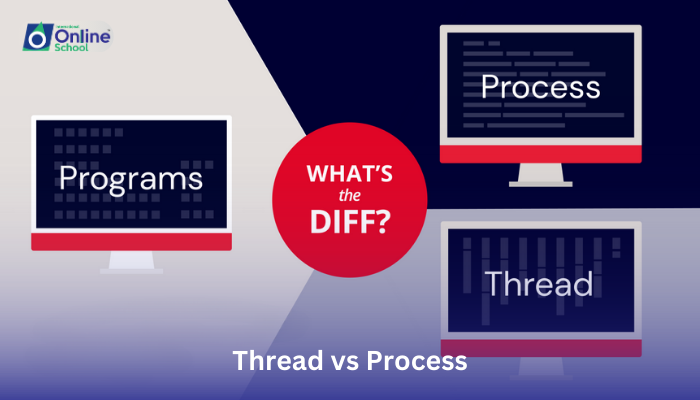
Lesson 10: Thread vs. Process

Lesson 10/93 | Study Time: 30 Min
Lesson 10: Thread vs. Process

Learning Outcomes:


i. Differentiate between threads and processes based on their key characteristics and resource usage.


ii. Explore the advantages and limitations of using threads compared to processes for different types of tasks.


iii. Understand the concept of multitasking within a single program using threads.


iv. Appreciate the diverse applications of threads and processes in various computing scenarios.


Introduction:


Remember the bustling theater stage from our previous lessons? We saw how the operating system juggles multiple programs as actors, each requiring resources and time in the spotlight. But imagine a single play with multiple actors working together on different parts of the stage simultaneously. That's the magic of threads! This lesson delves into the fascinating world of threads and processes, revealing how they share the stage of a program, but in distinct ways.


i. Threads: Teamwork on the Same Stage:


Picture two actors in a single play, each delivering their lines at the same time, seamlessly weaving their stories together. Threads are like these actors, sharing the resources and memory space of a single process (the play). They can work concurrently, executing different parts of the program simultaneously, boosting efficiency and responsiveness. Think of them as musicians in a band, playing different instruments but contributing to the same melody.


ii. Processes: Independent Actors with Separate Stages:


Now, imagine two separate plays performed on different stages at the same time. Processes are like these independent plays, each with its own actors, resources, and memory space. They exist as distinct entities within the operating system, running autonomously without directly sharing resources. Think of them as different cafes in a bustling city, each serving their own specialties and operating independently.


iii. Characteristics of Threads vs. Processes:


Feature


Thread


Process


Resource sharing


Shares memory and resources with other threads within the same process


Has its own dedicated memory and resources


Creation time


Faster and lighter to create compared to processes


Takes longer and consumes more resources to create


Context switching


Switching between threads within a process is faster and less resource-intensive


Switching between processes is slower and requires more overhead


Communication and synchronization


Threads within a process can easily communicate and share data directly


Processes require more complex communication mechanisms like inter-process communication


Advantages of Threads:


Improved responsiveness: Multiple threads can work simultaneously, making programs feel snappier and more responsive.


Efficient resource utilization: Sharing resources within a process reduces overall memory usage compared to multiple independent processes.


Enhanced task parallelism: Threads enable efficient multitasking within a single program, breaking down complex tasks into smaller, concurrent operations.


Limitations of Threads:


Limited security isolation: Sharing resources can lead to security vulnerabilities if one thread malfunctions or encounters errors.


Debugging challenges: Identifying and debugging issues within a multi-threaded program can be complex due to shared resources and interactions.


Complexity management: Coordinating and managing multiple threads within a single process requires careful design and synchronization mechanisms.


Threads and processes offer distinct advantages and cater to different needs. Understanding their characteristics and limitations empowers you to choose the right tool for the job. Threads shine in situations requiring efficient multitasking and resource sharing within a single program, while processes offer greater security isolation and clarity for independent tasks. As technology evolves, so too will the use of threads and processes, shaping the future of multitasking and parallel computing. Remember, the next time you witness a seemingly seamless transition within a program, appreciate the hidden threads working together, sharing the stage but not the spotlight, to deliver a smooth and efficient performance.



Saboor Ali

Saboor Ali

Product Designer

Class Sessions

1- Lesson 01: Introduction to Operating Systems 2- Lesson 02: Commonly-Used Operating Systems 3- Lesson 03: Types of Operating Systems (1-4) 4- Lesson 04: Types of Operating Systems (5-8) 5- Lesson 05: Embedded Operating Systems 6- Lesson 06: Single-User and Multi-User Operating Systems 7- Lesson 07: Main Functions of Operating System (1-4) 8- Lesson 08: Main Functions of Operating System (5-8) 9- Lesson 09: Understanding Processes 10- Lesson 10: Thread vs. Process 11- Lesson 11: Multi-Threading, Multi-Tasking, and Multi-Programming 12- Lesson 01: Introduction to Systems 13- Lesson 02: Overview of System Development Life Cycle (SDLC) 14- Lesson 03: Objectives of SDLC 15- Lesson 04: Stakeholders and Their Role in SDLC 16- Lesson 05: Planning in SDLC 17- Lesson 06: Feasibility Study 18- Lesson 07: Analysis and Requirement Engineering 19- Lesson 08: Design Phase 20- Lesson 09: Coding and Implementation 21- Lesson 10: Testing, Deployment, and Maintenance 22- Lesson 11: Management in SDLC 23- Lesson 12: Project Manager's Role 24- Lesson 13: System Analyst's Role 25- Lesson 14: Programmer's Contribution 26- Lesson 15: Software Tester's Role 27- Lesson 16: Customer Engagement 28- Lesson 01: Introduction to Programming 29- Lesson 02: C++ Program Structure 30- Lesson 03: Statement Terminator and Comments 31- Lesson 04: Constants and Variables 32- Lesson 05: Variable Naming Rules 33- Lesson 06: C++ Data Types 34- Lesson 07: Constant Qualifier - const 35- Lesson 08: Declaring and Initializing Variables 36- Lesson 09: Type Casting in C++ 37- Lesson 10: Displaying Output with cout Statement 38- Lesson 11: Input with cin Statement 39- Lesson 12: Functions getch( ), gets( ), and puts( ) 40- Lesson 13: Escape Sequences in C++ 41- Lesson 14: Input/Output Handling Functions 42- Lesson 15: Using Manipulators endl and setw 43- Lesson 16: Operators in C++ 44- Lesson 17: Identifying Unary, Binary, and Ternary Operators 45- Lesson 18: Defining an Expression 46- Lesson 19: Order of Precedence of Operators 47- Lesson 20: Compound Expressions 48- Lesson 21: Defining Compound Statements 49- Lesson 01: Decision Statements 50- Lesson 02: Looping Structures 51- Lesson 01: Introduction to Arrays 52- Lesson 02: Array Terminology 53- Lesson 03: Defining and Initializing Arrays 54- Lesson 04: Accessing and Writing in Arrays 55- Lesson 05: Array Traversal with Loops 56- Lesson 06: Using the size of() Function 57- Lesson 07: Introduction to Two-Dimensional Arrays 58- Lesson 08: Working with Two-Dimensional Arrays 59- Lesson 09: Accessing and Writing in Two-Dimensional Arrays 60- Lesson 10: Understanding Strings 61- Lesson 11: String Initialization Techniques 62- Lesson 12: Commonly Used String Functions 63- Lesson 01: Introduction to Functions 64- Lesson 02: Advantages of Using Functions 65- Lesson 03: Function Signature and Terminology 66- Lesson 04: Variables in Functions 67- Lesson 05: Parameters in Functions 68- Lesson 06: Local and Global Functions 69- Lesson 07: Inline Functions 70- Lesson 08: Passing Arguments 71- Lesson 09: Default Arguments and Return Statements 72- Lesson 10: Function Overloading Basics 73- Lesson 11: Advantages of Function Overloading 74- Lesson 12: Function Overloading with Different Arguments 75- Lesson 01: Introduction to Pointers 76- Lesson 02: Memory Addresses and Pointers 77- Lesson 03: Reference Operator (&) 78- Lesson 04: Dereference Operator (*) 79- Lesson 05: Declaration of Pointer Variables 80- Lesson 06: Initializing Pointers 81- Lesson 01: Introduction to Classes and Objects 82- Lesson 02: Members of a Class 83- Lesson 03: Access Specifiers and Data Hiding 84- Lesson 04: Constructors and Destructors 85- Lesson 05: Declaring Objects and Accessing Members 86- Lesson 06: Understanding Inheritance with Examples 87- Lesson 07: Exploring Polymorphism with Examples 88- Lesson 01: Introduction to File Handling 89- Lesson 02: Opening Files with Different Modes 90- Lesson 03: Understanding BOF and EOF 91- Lesson 04: Defining Streams 92- Lesson 05: Using Single Character Streams 93- Lesson 06: Using String Streams