Learning Outcomes:
i. Differentiate between constants and variables in C++.
ii. Understand the different types of constants used in C++ programs.
iii. Describe the characteristics and roles of various data types for variables.
iv. Apply variables effectively to store and manipulate data in C++ programs.
Introduction:
Imagine building a sandcastle: some elements stay fixed, like the base structure, while others change, like the towers and details. Similarly, C++ programs use building blocks called constants and variables. Knowing the difference and how to use them effectively is crucial for constructing dynamic and flexible programs.
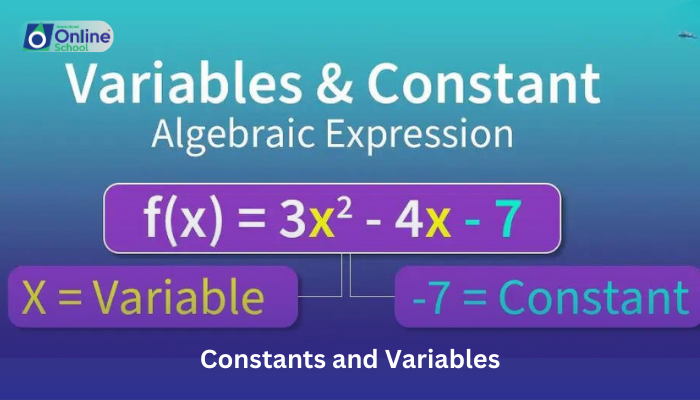
i. Constants: Unchanging Treasures
Think of constants as the sturdy rocks in your sandcastle. They represent values that never change within your program. Examples include the speed of light (299,792,458 m/s) or the number of days in a month (28, 30, or 31). C++ offers different types of constants:
Literal constants: Numbers, characters, and strings written directly in your code, like 3.14 for pi or "Hello, world!".
Symbolic constants: Named constants defined using const keyword, like const int MAX_SIZE = 100 for a maximum limit.
ii. Variables: The Shape-Shifters
Now, picture the colorful flags and intricate carvings on your sandcastle. These are like variables, containers that hold data that can change throughout your program. They have different shapes (data types) depending on what they hold:
Numeric variables: Numbers like integers (int), decimals (float), or doubles (double).
Character variables: Single characters stored in single quotes (char).
String variables: Sequences of characters stored in double quotes (string).
Using Variables: Dynamic Data Play
Variables allow programs to be flexible and perform tasks like:
Storing user input: Imagine asking for a favorite number and storing it in a variable (int favNumber).
Performing calculations: Changing values based on operations, like adding two numbers stored in variables.
Controlling program flow: Using conditions based on variable values to decide what happens next.
iii. Making the Most of Constants and Variables:
- Choose descriptive names for variables to understand their purpose at a glance.
- Initialize variables with appropriate values before using them.
- Use constants for values that shouldn't change to improve program stability.
Combine variables and constants with operators (+, -, *, etc.) to manipulate data dynamically.
Constants and variables are the foundations of dynamic C++ programs. By understanding their differences and using them effectively, you can build programs that adapt, respond to input, and perform complex tasks. Remember, just like a beautiful sandcastle needs both a strong base and creative details, your C++ programs will thrive with the balance of unchangeable constants and versatile variables. Keep exploring, experimenting, and unleashing the power of data manipulation in your code!
